

Looking for the best free AI tools in 2026?
Start with the task you need to complete, not the tool with the longest feature list.
ChatGPT is the most flexible starting point for general work. Claude is useful for structured writing and document analysis. Google Gemini fits users already working with Google services. Perplexity is designed for source-backed web research. Canva is an accessible option for visual production. GitHub Copilot is a practical free starting point for coding inside popular editors.
This guide compares 17 AI tools that offered a free plan, free usage allowance or open-source access when reviewed on September 7, 2026. It explains what each tool is best for, where the free access stops and what business users should check before uploading company information.
Best free AI tools at a glance
| Tool | Best for | Type of free access | Main limitation |
|---|---|---|---|
| ChatGPT | General writing, analysis and everyday tasks | Free plan with limits for advanced tools | Limits vary by feature |
| Claude | Long documents and structured writing | Free plan with limited usage | Capacity is lower than paid plans |
| Google Gemini | Multimodal tasks and Google users | Free access with compute-based limits | Complex tasks consume more capacity |
| Microsoft Copilot | Web assistance and Microsoft users | Core experience available at no cost | Microsoft 365 integration may require payment |
| Perplexity | Web research with citations | Core search with limited advanced searches | Sources still require verification |
| Gemini Notebook | Research grounded in selected sources | Free access with account limits | Output depends on source quality |
| Canva | Design, social content and presentations | Free design plan with AI allowance | Premium assets and higher usage require payment |
| Bing Image Creator | Quick image generation | Free with a Microsoft account | Fast generations have daily limits |
| Adobe Firefly | Images and creative editing | Limited daily generations | Premium features consume more credits |
| Runway | Evaluating AI video workflows | 125 one-time credits | Credits do not renew |
| Pika | Short creative AI videos | Monthly free credits | Model and resolution restrictions |
| Gamma | Presentations and visual documents | Limited free AI creation | Free AI credits do not refresh |
| GitHub Copilot | Code completion and coding chat | Monthly free allowance | No organization controls |
| Windsurf | Exploring an AI-first code editor | Free plan | Advanced usage requires payment |
| Continue | Custom coding workflows | Open-source software | Repository maintenance has ended |
| DeepL | Translation and language refinement | Free translator with limits | Data handling needs attention |
| Google Translate | Fast everyday translation | Free web and mobile access | Specialist terminology needs review |
How we evaluated these free AI tools
This is an editorial comparison, not a laboratory benchmark. We used five criteria to decide whether a tool belonged in the list.
Real free access
The tool must provide an ongoing free plan, an open-source option or a clearly defined free allowance. A temporary sales trial alone is not enough.
Clear job to be done
Each tool must solve a recognizable task such as drafting, research, image creation, video generation, presentation design, coding or translation.
Useful free capacity
The free access must be sufficient to evaluate the core experience, even if it is not suitable for production at scale.
Transparent tradeoffs
We looked for official information about usage limits, account requirements, watermarks, storage, credits and upgrade boundaries.
Business suitability
We considered privacy, collaboration, administration and whether a free personal account is appropriate for company information.
Best free AI assistants for writing and everyday work
1. ChatGPT

ChatGPT is the most flexible tool on this list for people who want one place to draft, summarize, brainstorm, analyze files, search the web and create images.
The free plan is suitable for everyday work and for testing how an AI assistant fits into a personal workflow. OpenAI says free users can access chat, web search, file uploads, data analysis and image creation. Advanced tools have separate usage limits.
ChatGPT Images has replaced the old DALL·E GPT as OpenAI’s current image-generation experience. The previous DALL·E section should therefore not be restored to this article.
See the official ChatGPT free-tier guide and ChatGPT Images documentation.
Best for: Drafting, summarizing, brainstorming, file analysis and general problem solving.
Free-plan limitation: File analysis, image creation and other advanced tools have separate limits. Users should review data controls before uploading confidential information.
Choose ChatGPT when: You want one broad assistant and do not yet need a specialized research, design or coding environment.
If your organization wants to connect an assistant to business data and processes, read our guide to AI assistant capabilities and business use cases.
2. Claude

Claude is a strong choice for long-form writing, document analysis and tasks that benefit from a clear, structured response.
It can help turn complex source material into summaries, plans, drafts and explanations. Anthropic lists a free plan with limited usage. It includes content creation, analysis of text and images, code generation and web search.
Current features are listed on the official Anthropic pricing page.
Best for: Long documents, policy drafts, structured writing and careful synthesis.
Free-plan limitation: Usage is limited. Long files and repeated analysis can reach the plan boundary quickly.
Choose Claude when: The quality and organization of a document matter more than having a large collection of consumer features.
3. Google Gemini

Google Gemini is a general-purpose assistant for writing, research, images and multimodal questions.
It is particularly convenient for people who already use Google accounts and services. Google applies compute-based limits to Gemini Apps. Usage can depend on prompt complexity, selected features and conversation length.
Google explains these limits in its official Gemini usage guide.
Best for: Multimodal questions, general work and Google-centered workflows.
Free-plan limitation: Google does not describe usage through one simple daily message number. Complex tasks can consume capacity faster.
Choose Gemini when: Your work already depends on Google services and you want an assistant that supports different types of media.
4. Microsoft Copilot
Microsoft Copilot provides a free assistant on the web, in Microsoft Edge and through supported desktop and mobile apps.
It can help with questions, drafts, summaries and web-assisted tasks. Microsoft distinguishes the free Copilot experience from Copilot features included with eligible Microsoft 365 subscriptions.
The free web assistant does not automatically provide every AI feature inside Word, Excel, PowerPoint or Outlook. Microsoft explains these differences in its official Copilot comparison.
Best for: General web assistance and users already comfortable with Microsoft products.
Free-plan limitation: Deeper Microsoft 365 integration depends on the user’s subscription and organization settings.
Choose Copilot when: You want a free assistant that fits beside Microsoft browsing and productivity tools.
Best free AI tools for research
5. Perplexity

Perplexity is designed for web research. Its main advantage is that answers include links to sources, making it easier to inspect the evidence.
According to Perplexity’s official account guide, the free account includes core search, five Pro Searches per day, three file uploads, saved sessions and Collections.
See the official Perplexity account guide.
Best for: Fast source discovery, early market research and topic exploration.
Free-plan limitation: A citation does not guarantee that the generated statement accurately represents the source.
Choose Perplexity when: You need a fast answer with a visible research trail.
Always open the original sources before using important claims in a report, strategy or published article.
6. Gemini Notebook
Gemini Notebook, formerly NotebookLM, helps users explore information from a selected collection of sources.
It is useful for reports, policies, research papers, interview transcripts and project documentation. Answers remain grounded in the material supplied by the user rather than relying only on a general model response.
Google renamed NotebookLM to Gemini Notebook in July 2026. See the official Google announcement.
Best for: Comparing documents, studying reports and building a project knowledge base.
Free-plan limitation: Weak, outdated or biased source material will still produce weak research.
Choose Gemini Notebook when: You want answers constrained by a controlled source collection.
Best free AI image and design tools
7. Canva

Canva combines templates, stock assets, editing and AI-assisted creation in one browser-based workspace.
It is often the easiest option for non-designers producing social graphics, simple presentations and marketing assets. Canva Free includes its editor, template and asset libraries, cloud storage and a limited AI allowance.
Canva currently lists up to 200 Standard AI uses or 20 Premium AI uses for the free plan. Feature availability can vary. See the official Canva pricing page.
Best for: Social posts, presentations, quick visual assets and teams without a dedicated designer.
Free-plan limitation: Premium assets, advanced brand controls and higher AI usage require payment.
Choose Canva when: You want AI generation inside a complete design workflow rather than a standalone image model.
8. Bing Image Creator

Bing Image Creator is a free image-generation tool for people with a personal Microsoft account.
It can be used for visual concepts, campaign drafts and creative exploration. Microsoft currently provides 15 free fast creations per day. Users can continue at standard speed after using the fast allowance, subject to the current daily prompt limit.
Best for: Quick visual concepts without purchasing a creative subscription.
Free-plan limitation: The consumer experience does not support Microsoft Entra work or school accounts.
Choose Bing Image Creator when: You need a simple free image tool and already have a personal Microsoft account.
9. Adobe Firefly
Adobe Firefly supports image creation and editing, with additional capabilities available across Adobe products.
Adobe provides limited free daily generations across a curated set of models. Standard and premium features can consume credits differently.
Adobe explains the current system in its generative credits guide.
Best for: Creative ideation, image editing and Adobe-oriented workflows.
Free-plan limitation: Video, audio and partner models can consume credits quickly. Available free capacity may change.
Choose Firefly when: You want to test generative features that can later connect with Adobe creative applications.
For a more detailed visual-tool comparison, read our guide to the best AI image generators.
Best free AI video tools
10. Runway

Runway provides AI tools for generating and editing images, video and audio.
The free plan is best understood as an evaluation allowance rather than a renewable production plan. Runway provides 125 one-time credits, 5GB of asset storage and access to a limited tool set.
The credits do not refresh. Videos generated on the free plan carry a watermark. See Runway’s official free-plan guide.
Best for: Testing whether an AI video workflow is suitable before paying.
Free-plan limitation: Once the one-time credits are used, users must upgrade to continue generating.
Choose Runway when: You want to evaluate a broad creative platform and do not need recurring free capacity.
11. Pika

Pika focuses on short AI-generated and AI-edited videos.
It is approachable for people experimenting with image-to-video effects and short creative concepts. Pika’s Basic plan currently includes 80 monthly video credits, selected features and access at restricted resolution.
Commercial-use rights are listed with paid plans. Business users should review the current terms before publishing free-plan output. See the official Pika pricing page.
Best for: Short creative experiments and recurring lightweight video generation.
Free-plan limitation: Model selection, resolution and commercial-use rights are restricted.
Choose Pika when: You prefer a renewable monthly allowance over a one-time evaluation balance.
Teams comparing production tools should also review our detailed guide to AI video tools for business.
Best free AI presentation tool
12. Gamma

Gamma creates presentations and visual documents from prompts or source text.
It is useful when a team needs a first draft quickly and plans to refine the structure, evidence and brand treatment afterward.
The Gamma Free plan includes AI creation, basic image models and generation of up to 10 slides from one prompt. Its free AI credits do not refresh.
See the official Gamma plan guide.
Best for: First drafts of presentations, proposals and visual summaries.
Free-plan limitation: The initial AI allowance is finite. Branding and advanced capabilities may require an upgrade.
Choose Gamma when: Speed matters and you are prepared to edit the story, facts and design before presenting.
Tome is not included because Tome officially discontinued its presentation product in April 2025.
Best free AI coding tools
13. GitHub Copilot

GitHub Copilot provides code completion, coding chat and limited agent functionality across popular development environments.
GitHub currently lists 2,000 code completions and 50 chat requests per month for Copilot Free. A credit card is not required.
Organization controls, enterprise security and IP indemnity are not included in the free personal plan. Review the official Copilot plans before using it with company repositories.
Best for: Individual coding, code completion and lightweight assistance inside an editor.
Free-plan limitation: The personal free plan is not a substitute for an organization-managed coding assistant.
Choose GitHub Copilot when: You want easy setup and broad editor support.
14. Windsurf
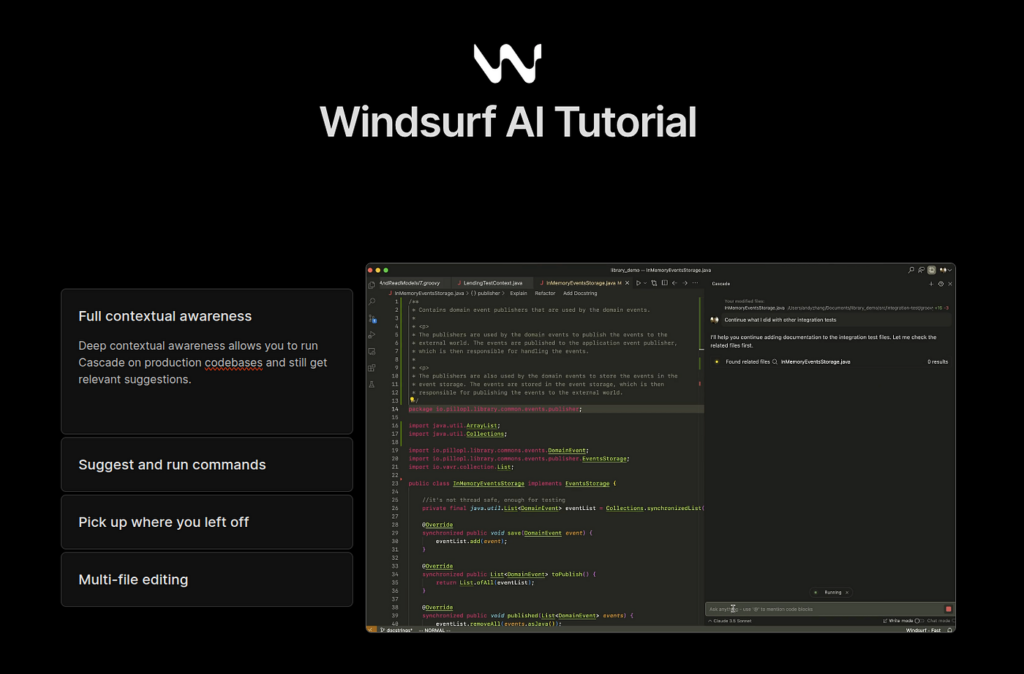
Windsurf is an AI-oriented development environment for exploring and modifying code with assistant and agent-style workflows.
It offers a free plan for users who want to evaluate the editor before committing to higher usage.
Best for: Developers who want to explore an AI-first editor and multi-step coding assistance.
Free-plan limitation: Model access and capacity differ from paid plans.
Choose Windsurf when: You are willing to change editors to explore a more integrated AI coding workflow.
Before moving a production repository, verify current data controls, model access and repository permissions.
15. Continue
Continue provides open-source coding tools for the terminal, VS Code and JetBrains environments.
It appeals to technical users who want greater control over models and configuration. However, Continue’s documentation now states that its main repository is read-only following the final 2.0.0 release.
The software remains available under the Apache 2.0 license. Users should still account for maintenance status and any model or API costs.
See the official Continue documentation.
Best for: Custom, local or self-managed coding workflows.
Free-access limitation: Open-source software does not guarantee free model usage, continuing maintenance or enterprise support.
Choose Continue when: Control and configurability matter more than a fully managed service.
Best free AI translation tools
16. DeepL
DeepL provides browser-based translation and writing assistance.
It is useful for translating drafts and refining tone when its supported languages match the project. The free translator currently lists a monthly character allowance and limited file translation.
DeepL’s free-service terms allow submitted content to be processed for a limited period to improve its systems. Do not upload confidential company or customer information without reviewing the appropriate plan and policy.
See the official DeepL plan comparison and free-service terms.
Best for: Translation drafts, language refinement and multilingual content work.
Free-plan limitation: Usage and file limits apply. Business users need to understand how submitted content is processed.
Choose DeepL when: You want a focused language tool rather than a general AI assistant.
17. Google Translate

Google Translate remains a practical option for quick translation across a broad range of languages.
Its web and mobile experiences are easy to access, making it useful for first-pass understanding and everyday communication.
Best for: Fast translation, travel, everyday communication and broad language access.
Free-access limitation: Legal, technical, medical and brand-sensitive language still requires a qualified human reviewer.
Choose Google Translate when: Speed and language availability matter more than maintaining a controlled professional terminology system.
How to choose the right free AI tool
The best free AI tool is the one that removes friction from a specific task without creating unacceptable risk.
Start with one workflow
Choose a recurring job such as:
- Summarizing reports
- Drafting campaign ideas
- Creating social images
- Researching a market
- Preparing presentation slides
- Reviewing code
- Translating customer content
A clear workflow makes it easier to judge whether the tool saves time and produces usable work.
Define the output standard
Before testing a tool, define what a good result looks like.
For writing, consider accuracy, tone and editing time. For images, consider brand consistency, text rendering and commercial rights. For code, consider correctness, security and human review effort.
Check what “free” actually means
A free AI plan can mean:
- A renewable daily allowance
- Monthly credits
- A one-time balance
- Restricted models
- Lower resolution
- Watermarked exports
- Open-source software that requires a paid model
- A free consumer account without business administration
Compare the upgrade boundary, not just the zero-dollar entry price.
Protect company and customer data
Do not assume that a free personal account offers enterprise data protection.
Before uploading business information, review:
- Whether prompts and files are stored
- Whether content may be used for model improvement
- Available retention controls
- Account and permission management
- Data location requirements
- Contractual protections
- Audit and monitoring capabilities
Remove sensitive information whenever possible.
Measure the whole workflow
A fast first draft is not useful if employees spend more time checking sources, correcting errors or reformatting the output.
Measure:
- Total completion time
- Human review time
- Error rate
- Consistency
- Number of manual handoffs
- Cost after exceeding the free allowance
For teams that need to connect several steps, explore AI workflow automation. The goal is to combine clear rules, reliable data, human approval and AI only where it improves the process.
Free AI tools versus business AI systems
Free AI tools are useful for discovery, personal productivity and small experiments. They help teams understand what AI can do before making a larger investment.
They are not automatically suitable for workflows involving customer records, financial information, internal knowledge or actions inside operational systems.
A business AI system usually needs additional layers:
- Identity and role-based access
- Approved data sources
- Retention and privacy controls
- Human approval for sensitive actions
- Integration with CRM, ERP and knowledge systems
- Evaluation for accuracy and failure cases
- Monitoring and audit logs
- Clear process ownership
If your organization has moved beyond personal experimentation, compare potential partners using our guide to choosing an AI solution provider.
Sales and HR teams can also explore our focused guides to AI sales tools and AI tools for HR.
Frequently asked questions
What is the best free AI tool overall?
ChatGPT is the most flexible free starting point for general writing, analysis, file work and everyday questions.
The best choice changes when the task becomes more specific. Perplexity is better suited to source discovery. Canva fits quick visual production. Gamma creates presentation drafts. GitHub Copilot supports coding inside an editor.
Are free AI tools really free?
Some tools provide ongoing free access. Others use daily limits, monthly credits, restricted models or one-time allowances.
Runway provides a one-time free credit balance. Pika provides monthly credits. Open-source coding tools can be free to install but may still require a paid model or API.
Which free AI tool is best for business?
For low-risk individual work, ChatGPT, Claude, Gemini, Microsoft Copilot and Canva are useful starting points.
For company data or operational workflows, the correct choice depends on security, access control, retention, integration and human approval. A free personal plan should not be treated as an enterprise deployment.
Which free AI tool is best for research?
Perplexity is useful for discovering web sources quickly. Gemini Notebook is more suitable when research should remain grounded in a selected collection of documents.
In both cases, users remain responsible for opening sources and verifying important claims.
Which free AI tool is best for images?
Bing Image Creator is a simple no-cost option. Canva is better when generated images need to become social posts or presentations. Adobe Firefly fits Adobe-oriented creative processes. ChatGPT Images supports conversational iteration.
Can free AI output be used commercially?
Commercial use depends on the tool, plan, model and current terms.
Do not assume free access automatically grants unrestricted commercial rights. Check rules for watermarks, licensed assets, uploaded source material and third-party models.
Is it safe to upload company data to free AI tools?
Not by default.
Review data controls, retention, model-training settings, account administration and contractual protections before uploading confidential information. Use an approved business or enterprise environment for important workflows.
Final recommendation
Start with one tool and one repeatable task.
Use ChatGPT, Claude, Gemini or Microsoft Copilot for general assistance. Use Perplexity or Gemini Notebook for research. Use Canva, Bing Image Creator or Adobe Firefly for visual work. Use Runway or Pika to evaluate AI video. Use Gamma for a fast presentation draft. Use GitHub Copilot, Windsurf or Continue for coding. Use DeepL or Google Translate for translation.
Measure whether the tool improves the entire workflow, including review and correction time.
When separate AI tools create fragmented data, inconsistent outputs or manual handoffs, the next step is not necessarily another subscription. It may be a properly designed workflow with approved data, clear controls and human ownership.